September 2024 updates: notifications and smart device integrations
September usually marks the end of summer and the back-to-school season, though some lucky ones may still be on holiday. At Clevergy we have also enjoyed the break: some colleagues went to the Paris Olympic Games, others to Iceland, Cádiz, Galicia, Cantabria, Málaga, Navarra…
We have also worked hard and given our products and solutions a significant boost. Here are the most important updates we made in August.
More and better notifications
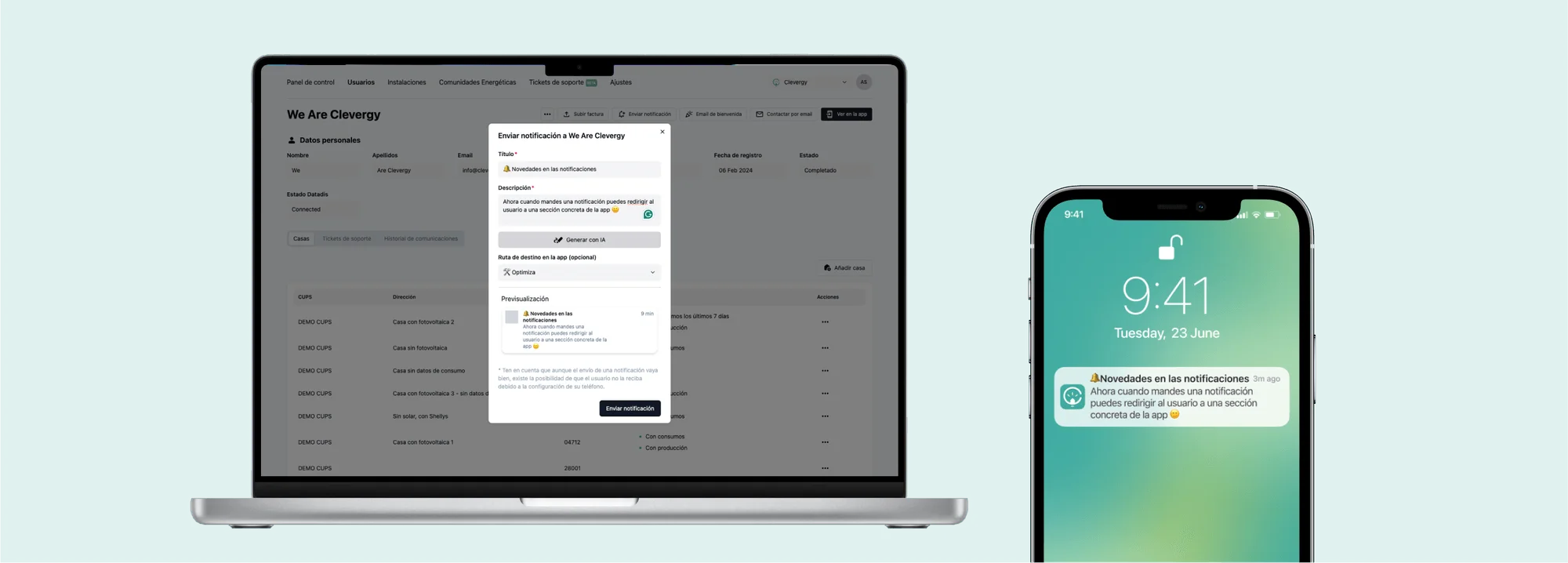
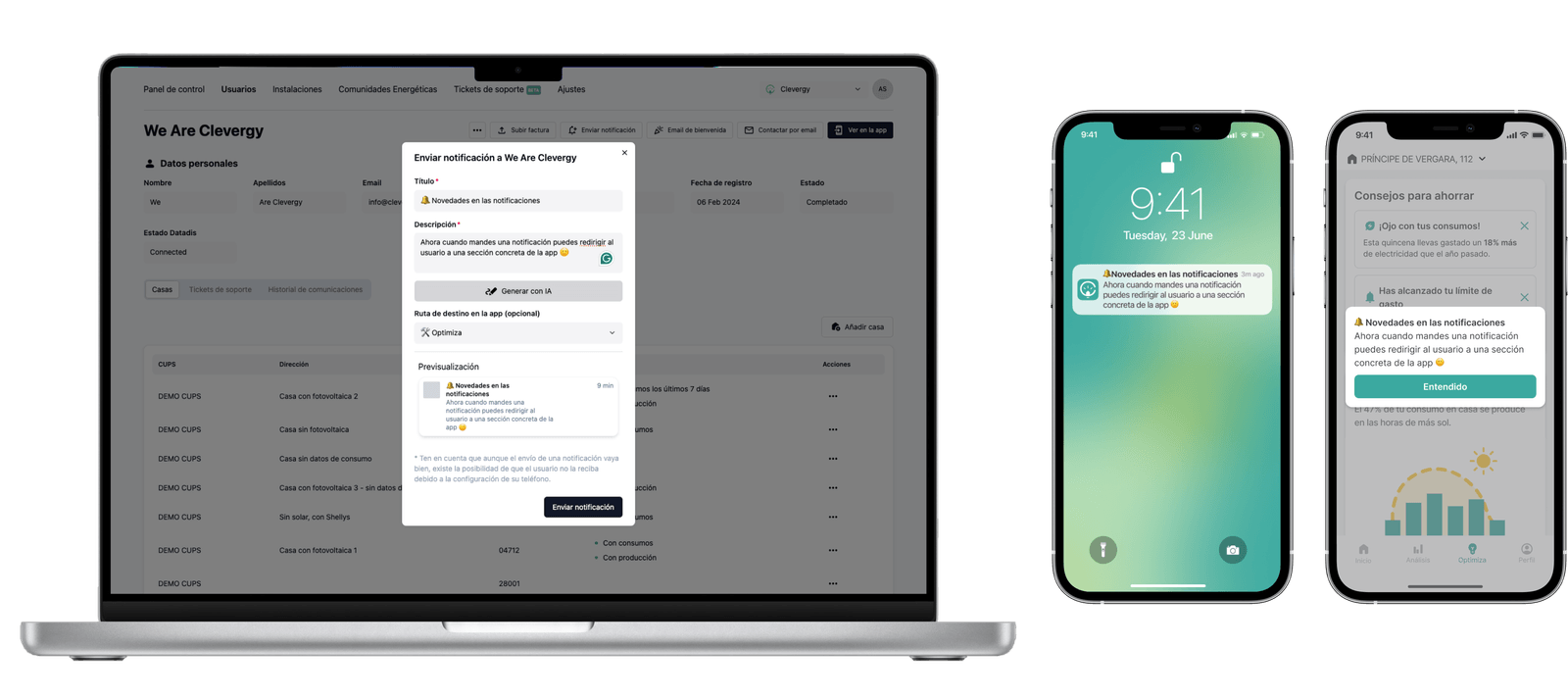
Previously we had a limit of 200 notifications at a time, which made it difficult to send bulk communications. We have changed the entire process with a new technical model that makes it possible to send a bulk notification to all users.
Now notifications can also be redirected to a specific section of the app, making it easier for users to take action.
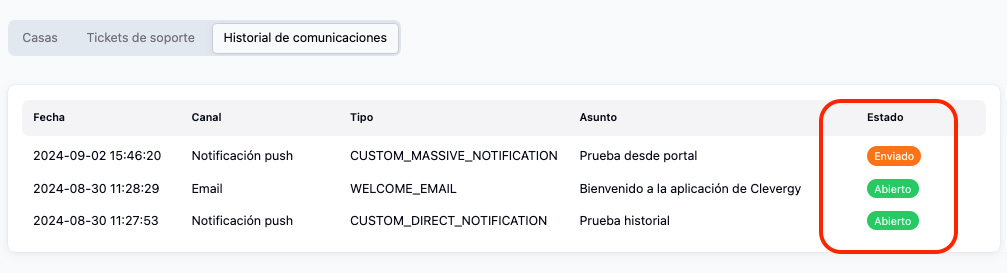
We have also added a new section in the user profile (communications history) where you can view all emails and notifications and their status. This way you can see, for example, whether the user opened the notification or not, and send communications based on these behaviours. Your employee reviews the case thanks to all the customer information: invoices, consumption, etc.
Improvements to smart device integration
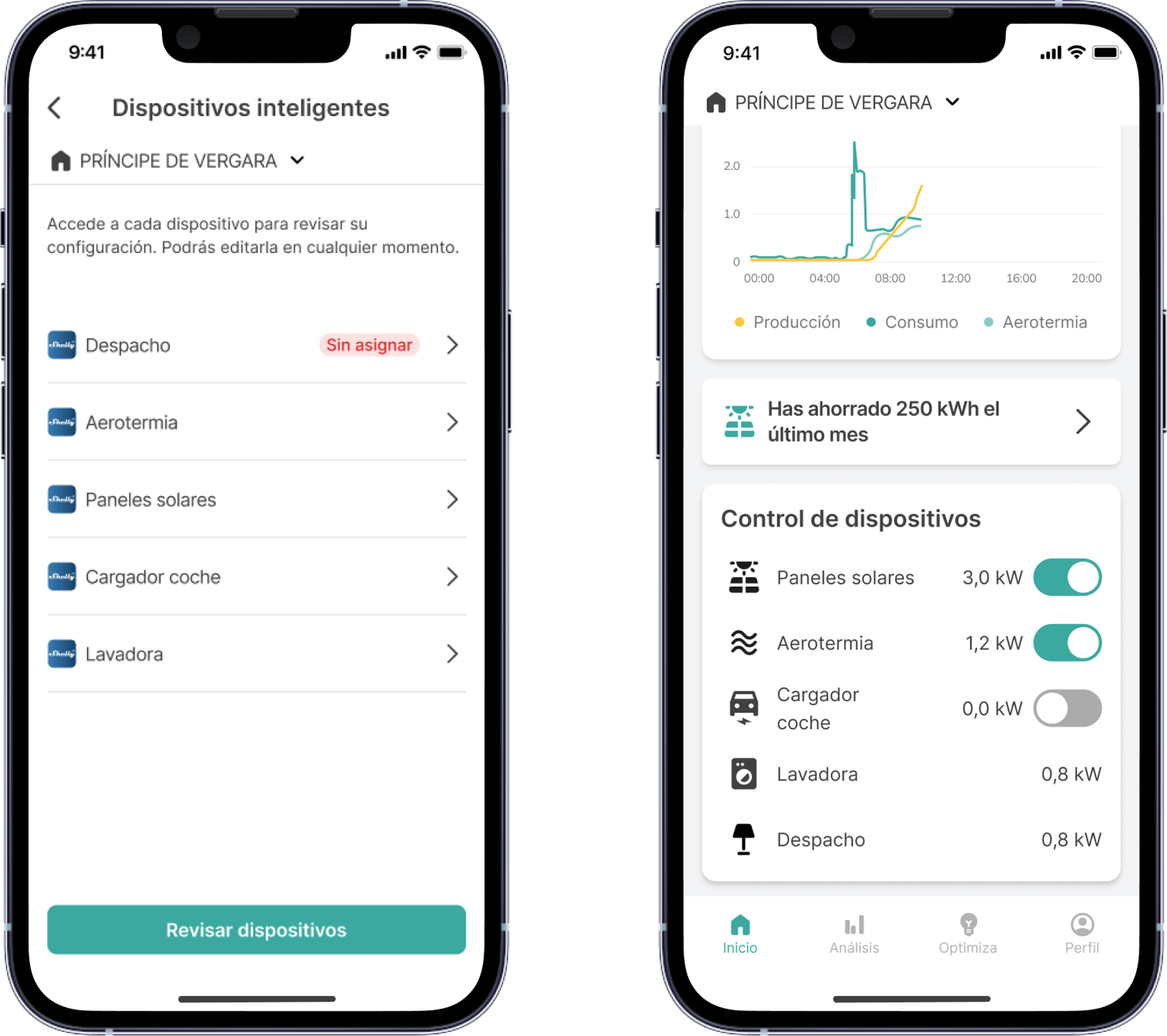
We continue to add integrations with smart devices and to improve the ones we already have. This is the case with Shelly. Until now, to integrate Shelly smart devices into our app the user had to generate a series of codes and paste them into the Clevergy app. It was a tedious process, which we have completely overhauled.
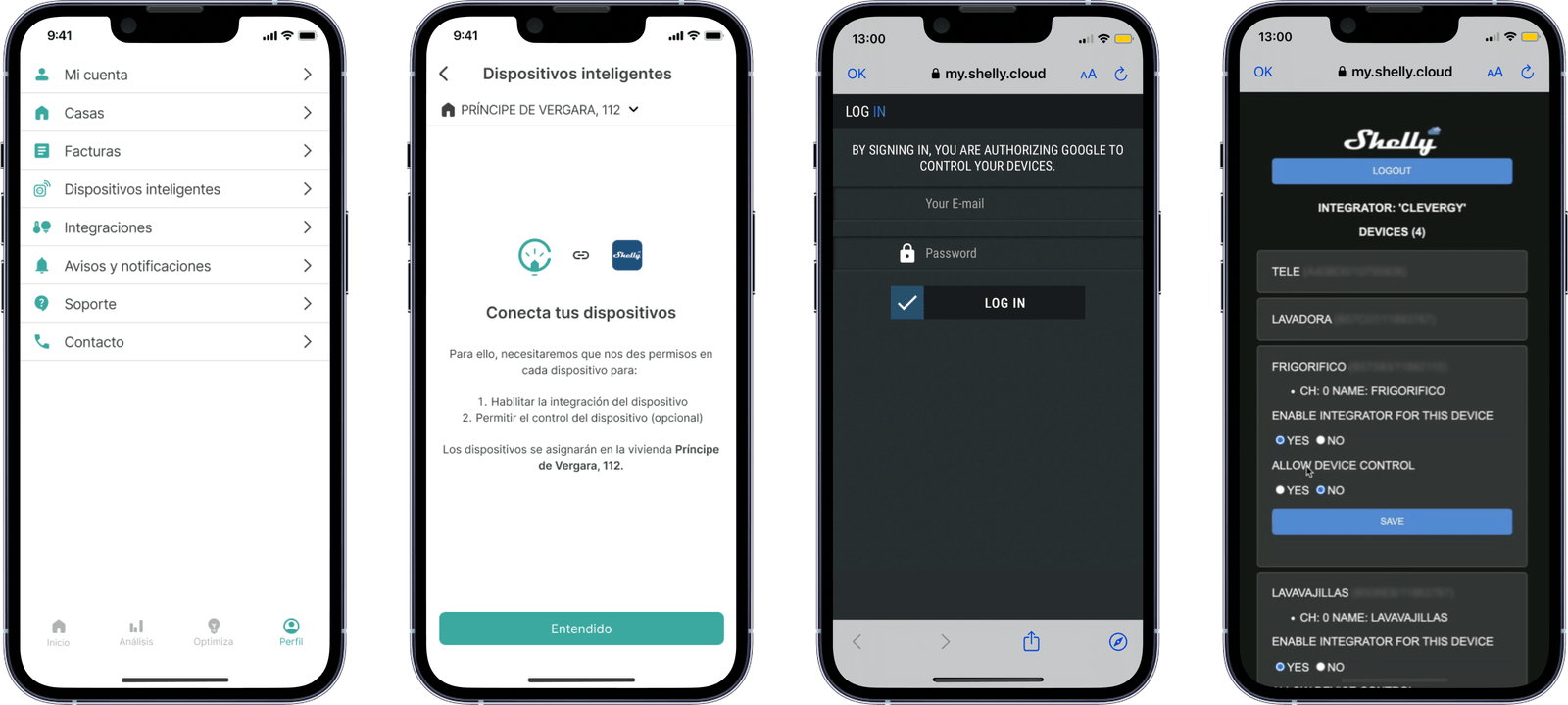
The process is now much simpler and clearer:
- On the “smart devices” screen of the Clevergy app, open Shelly and log in
- Configure the Shellies you want to monitor with Clevergy
→ Enable integrator for this device: It will appear in the Shellies control panel
→ Allow device control: If enabled, the on/off button will work; otherwise it will not.
All of this makes many subsequent processes easier for you:
- Assigning a Shelly to a metering point
- Deleting a Shelly
- Having a list of devices
- Having a device control dashboard
Other improvements
- FTP integrations: we have implemented a new way to access consumption data through the load curve files on the distributors’ FTP servers.
- Improvements to the app design.
And we keep going. At the start of October we will tell you about the new developments from September.